Football: get between the ball and your goal before tackling
Position changes the meaning of your next action. Near the ball you can take a shot, while close to an opponent the tap is used for a tackle. Winning possession is most useful when it also leaves a clear route to the net.
Controls
Drag on the screen to move the player. Tap to shoot when near the ball or to tackle an opponent; the supplied instructions also describe releasing a drag to kick in the direction you face.
Get between the ball and your goal before tackling
Start Match: Tap the green "PLAY" button on the main menu to enter a Qualifying Match.
Move: Drag your finger anywhere on the screen to move your character (indicated by the green circle).
Intercept: Chase the ball and position yourself between the opponent and your goal.
Attack/Defend: Tap the screen to shoot the ball towards the enemy net or to slide tackle an opponent.
Win: Score more goals than your opponent to clear the round. If you concede a goal, you may face a "YOU LOSE" screen
Competitive Ranking System
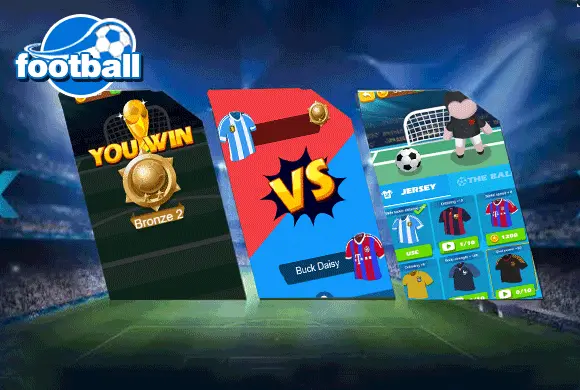
Start your journey in Bronze 3 and fight your way up the leagues by winning qualifying matches and defeating tough opponents.
Score against the opposing side and win the qualifying round
Face the opposing goal before tapping or releasing for a kick. Defend from the space between the opponent and your own net instead of chasing behind them. Check whether you have the ball before using the shared shoot/tackle input.
A kick follows the facing direction, so a well-timed tap can still send the ball away from goal. Chasing the ball from behind can leave an open attacking route.
This guide is based on the supplied game instructions.
Questions about Football
How do I shoot the ball?
When your character is near the ball, simply tap the screen or release your drag gesture to kick the ball in the direction you are facing
Something not working?
Tell us the game name, your device and what happened at leo@minisball.com.