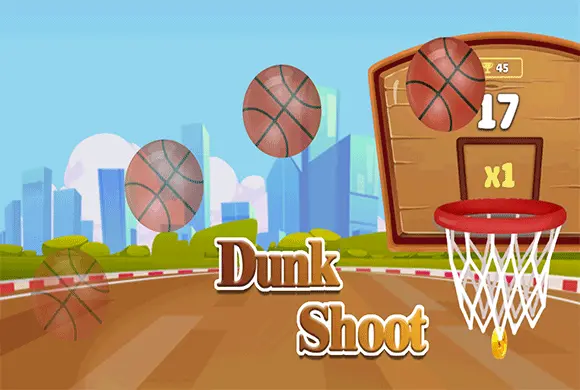
Dunk Shoot: the swipe sets the whole shot
This is a launch-and-observe shooting game. Unlike tap-to-fly basketball, the important input is the swipe that sends the ball on its arc; use the result to adjust the next shot.
Controls
Mobile: Tap and swipe up on the screen to launch the ball. PC: Left-click and drag the mouse upward to shoot.
The swipe sets the whole shot
Getting started in Dunk Shoot is simple. On the main screen, you will see a basketball at the bottom and a hoop in the middle. To take a shot, touch the ball and swipe your finger (or mouse) upwards toward the basket. The length and direction of your swipe will determine how high and far the ball travels. Aim for the center of the hoop to get a "Perfect" score, which often triggers a flaming ball effect and earns you extra points.
As you score, your avatar moves along the progress bar at the top of the screen. Reach the gift box icon at the end of the bar to finish the level and claim your prize. Use the coins you collect to visit the "Shop" and buy new skins. If you find the levels getting tough, check the "Daily Challenge" for practice and extra rewards!
Unlockable Custom Skins
Earn coins through gameplay to unlock a wide variety of unique basketball designs and stylish court environments.
Progression & Challenges
Follow the top progress bar to beat rivals and complete daily challenges for exclusive rewards and bonuses.
Score baskets and advance the level's displayed progress toward its finish marker
Aim toward the center of the opening before experimenting with more power. If a shot is lined up but falls short, increase the swipe length while keeping its direction similar. Change one part of the gesture at a time so you can tell whether angle or power caused the miss.
A longer swipe changes the shot's reach, so extra power can send a well-aimed ball too far. Changing angle and length together makes it harder to identify why the next shot differs.
This guide is based on the supplied game instructions.
Questions about Dunk Shoot
How do I get more coins?
You can earn coins by completing levels, hitting "Perfect" shots, and claiming daily rewards.
What are the different avatars on the progress bar?
Those represent the scores of other players or milestones you need to pass to earn rewards.
Is there an end to the game?
The game features many levels and daily challenges, providing a near-endless arcade experience.
Something not working?
Tell us the game name, your device and what happened at leo@minisball.com.